
AFSIM Multidomain Scenarios and Event Replay Analysis
01
Project Background
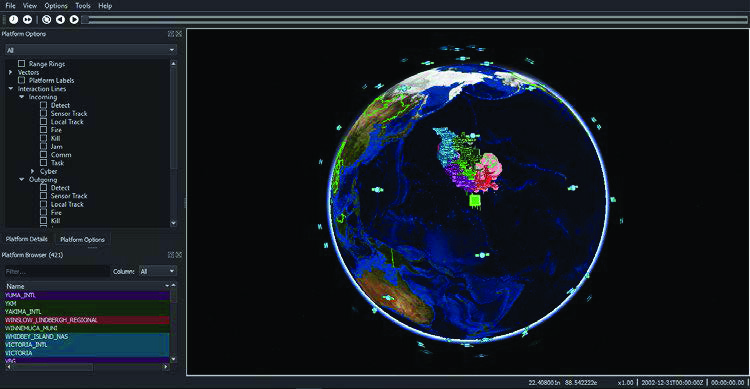
Multidomain operational simulation projects need scenario editing, interactive execution, and post-run replay. We separate presentation from analytical metrics to prevent visually busy scenes from substituting for repeatable computational results. This project does not provide real equipment parameters or operational plans.
02
Technical Approach
First define abstract entities, the time range, an event dictionary, and display layers, then organize scenario inputs and output logs. Replay locates events; analytical conclusions must be traced back to model versions, parameters, and assumptions.

03
Implementation Process
First complete a minimal, interpretable scenario, checking startup, state changes, and termination events, then compare repeated runs and replays. Record the project version, seed, and configuration for each run. When information is insufficient, explicitly narrow the scope rather than fill the project with guessed parameters.
04
Deliverables
Deliver the scenario input baseline, event logs and replay, layer and metric descriptions, and a reproduction and limitations checklist. Each item identifies its version, inputs, operating environment, and corresponding acceptance steps.
05
Acceptance Approach
With legally available software and data, acceptance checks whether the same configuration can be rerun, events can be located, and conclusions state their assumptions. Replay visuals are not presented as guarantees of real mission performance.
06
Scenario Delivery and Evidence Management Recommendations
Scenario projects can adopt model-baseline practices by binding scenarios, parameters, tool versions, and outputs to a single run. After parameter changes, record differences and identify results that remain applicable versus those requiring a rerun. Use the same run identifier for playback files and analysis reports.
Deliver editable configurations, dependencies, operating instructions and a results index. The recipient reruns an agreed scenario to check the environment and key outputs.
07
Implementation Outcomes
Rerunnable scenarios and replayable events.
Different run batches share explicit model versions, parameters, and event records, so investigating differences does not depend solely on final screenshots.
Efficiency is assessed through scenario preparation time, batch configuration error counts, time to locate specified events, and result reproducibility. Model capabilities and mission conclusions still depend on authorized inputs and the validation scope.